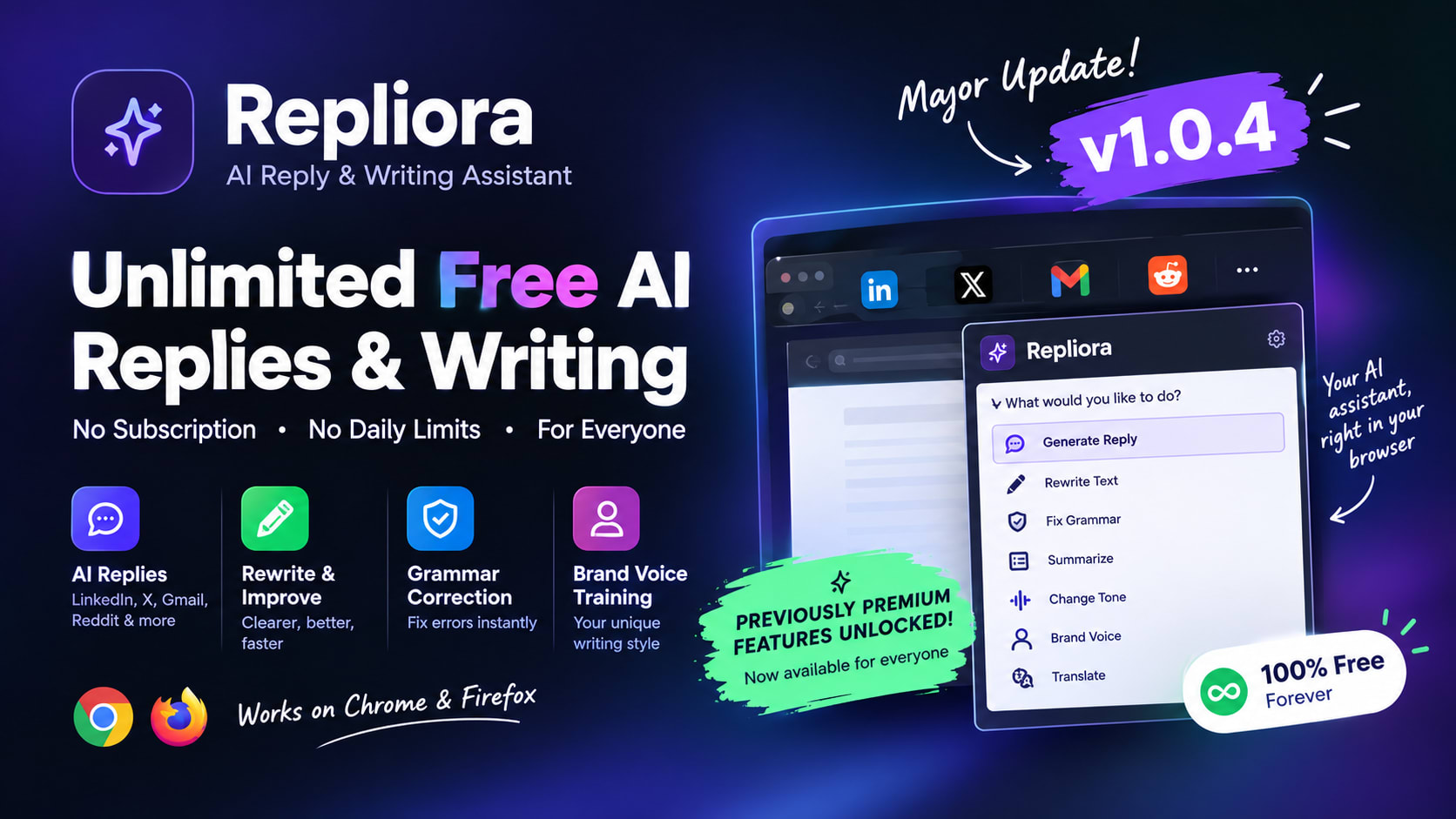
Repliora v1.0.4: Free AI Reply & Writing Assistant
Discover Repliora v1.0.4, the free AI writing extension for Chrome and Firefox. Unlimited daily usage, AI replies, grammar correction, and Brand Voice training.
Repliora v1.0.4 Review: Unlimited Free AI Replies, Rewriting & Brand Voice Training
Repliora v1.0.4 is here, and it brings a major change: the subscription model is gone. Previously premium features, including Brand Voice training, are now unlocked for everyone, and daily usage limits have been removed.
If you've ever struggled to write the perfect LinkedIn comment, reply to an important email, or find the right words for a social media post, Repliora is designed to make that process easier.
Repliora is an AI-powered browser extension that helps you generate replies, rewrite existing text, fix grammar, summarize content, and improve your writing directly in your browser.
And with version 1.0.4, you can use its available writing features without worrying about Repliora's previous daily limits or premium subscription restrictions.
What's New in Repliora v1.0.4?
The latest update focuses on accessibility. Instead of keeping advanced writing tools behind a paywall, Repliora now makes them available to everyone.
1. 100% Free Forever
Repliora has removed its subscription model. Daily usage limits have also been lifted, allowing you to generate as many replies, summaries, and grammar corrections as you need without hitting Repliora's previous daily quota.
Whether you're a student working on assignments, a developer writing professional emails, a freelancer communicating with clients, or a content creator engaging with your audience, you can use Repliora's writing assistance without a Repliora subscription.
2. Premium Features Unlocked
Features that were previously restricted to premium users are now accessible to everyone.
One of the most notable additions is Brand Voice training, which helps you work toward a more consistent writing style across your communications.
This is particularly useful for creators, founders, freelancers, and professionals who want their replies and written content to reflect a recognizable voice instead of sounding generic.
3. More Freedom to Write
The update makes Repliora more practical for everyday use. You can use its writing tools for frequent emails, social media conversations, text corrections, and content refinement without the previous daily usage restrictions.
The goal is simple: spend less time struggling with words and more time communicating your ideas.
What Is Repliora?
Repliora is an AI writing and reply assistant that integrates directly into your browser. Instead of switching between websites, opening a separate AI chatbot, and repeatedly copying and pasting text, you can access writing assistance where you are already working.
It supports a range of writing tasks, including:
- AI reply generation: Draft relevant responses to messages, posts, and conversations.
- Text rewriting: Make existing content clearer, more natural, or more professional.
- Grammar correction: Improve spelling, punctuation, and sentence structure.
- Summarization: Condense lengthy emails and documents into easier-to-read summaries.
- Text expansion and shortening: Adjust the length and detail of your writing.
- Tone adjustment: Adapt your wording for professional, friendly, formal, casual, persuasive, and other communication styles.
- Translation: Help communicate across different languages.
- Brand Voice training: Work toward consistent messaging and a recognizable writing style.
Repliora is available for Google Chrome and Mozilla Firefox.
Watch the Repliora Tutorial
Want to see how the extension works before installing it?
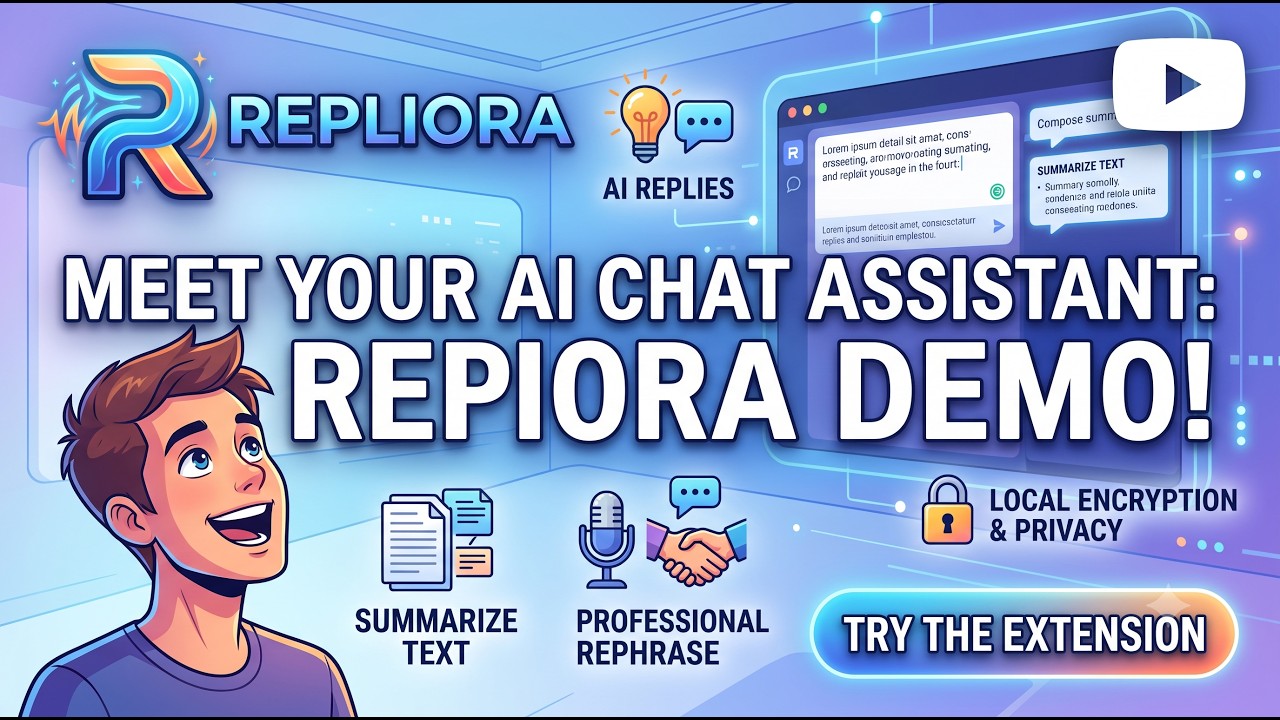
Watch the full tutorial on YouTube to see Repliora in action.
How Does Repliora Work?
Repliora is designed to fit into your existing browser workflow.
Step 1: Install the extension
Add Repliora to Chrome or Firefox using the official browser extension store.
Step 2: Configure your AI provider
Set up a supported AI provider and the required API credentials if your chosen configuration uses a bring-your-own-key setup.
Step 3: Open a webpage
Navigate to an email, social media conversation, discussion thread, or another page where you need help writing.
Step 4: Generate or improve your text
Use the available writing tools to draft a reply, correct grammar, rewrite a paragraph, or summarize content.
Step 5: Review and refine
Read the generated result, make any necessary changes, and decide what to send or publish.
The aim is to reduce repetitive writing work while keeping you in control of your final message.
Who Should Use Repliora?
Repliora can be useful for several types of users.
Developers and professionals: Write clearer emails, explain technical ideas, and communicate with colleagues or clients.
Freelancers: Prepare client responses, proposals, follow-ups, and professional messages more efficiently.
Content creators: Draft social media replies, improve captions, and maintain a consistent voice when interacting with an audience.
Students: Improve grammar, summarize reading material, and refine written assignments.
Founders and business owners: Streamline routine communication and develop more consistent messaging.
Community managers: Respond to discussions more efficiently while adapting the tone to different communities.
Is Repliora Really Free?
Yes. With version 1.0.4, Repliora has removed its subscription model and lifted its previous daily usage limits.
Previously premium features, including Brand Voice training, are also unlocked for everyone.
One important distinction: free access to Repliora does not necessarily mean that AI processing has no cost. If you use your own OpenAI or Groq API key, the provider may charge you separately according to its API pricing. Check your chosen provider's current terms and pricing before using it extensively.
There is no Repliora subscription required under the new v1.0.4 model.
Privacy and Responsible Use
AI writing assistants may process the text you provide and relevant page content to generate results. Before using Repliora with confidential business information, sensitive personal messages, or private customer data, review the extension's current privacy policy and understand how your selected AI provider handles submitted content.
Official privacy policy: https://www.iamsimar.dev/privacy
As with any AI writing tool, review generated text before using it. AI-generated replies can contain errors or miss important context, and your own judgment remains essential.
Why Choose Repliora Over a Separate AI Chatbot?
Most AI chatbots can help you write better, but using them often means switching tabs, copying text, and pasting the generated response back into your current workflow.
Repliora brings AI writing assistance directly into your browser, making everyday communication simpler.
What Makes Repliora Different?
- Write without switching tabs: Generate replies and improve text directly within your browser workflow.
- Generate smarter replies: Get writing suggestions designed around the context of the webpage you're using.
- Improve your writing instantly: Correct grammar, rewrite sentences, and adjust your tone with AI assistance.
- No Repliora subscription: Version 1.0.4 removes subscription fees and previous daily usage limits.
- Unlock advanced features: Brand Voice training and previously premium features are now available to everyone.
- Choose your AI provider: Use supported providers such as OpenAI or Groq with your own API key, where required.
Repliora vs. Traditional AI Chatbots
A separate chatbot is useful when you need to brainstorm ideas, solve complex problems, or have an extended conversation with AI.
Repliora is built for a different purpose: helping you write and respond faster while staying on the webpage where the conversation is happening.
Whether you're replying to a LinkedIn post, composing an email in Gmail, or participating in a Reddit discussion, Repliora aims to reduce the effort between knowing what you want to say and expressing it clearly.
Note: AI provider API charges may still apply when you use your own API key.
Frequently Asked Questions
Is Repliora free forever?
Version 1.0.4 removes Repliora's subscription model and daily usage limits. AI provider charges may still apply when using your own API key.
What changed in version 1.0.4?
The main changes are the removal of the subscription model, the lifting of daily usage limits, and the unlocking of previously premium features, including Brand Voice training.
Which browsers support Repliora?
Repliora is available for Google Chrome and Mozilla Firefox.
Can Repliora rewrite existing text?
Yes. It offers writing tools for grammar correction, rewriting, improving clarity, and adjusting tone.
Does Repliora work with LinkedIn, Gmail, X, and Reddit?
Repliora is designed to assist with writing across webpages. The exact experience may vary depending on the website's text fields and the extension's compatibility with that page.
Do I still need an API key?
If you use a bring-your-own-key configuration, you need the relevant credentials for your chosen AI provider. Check the current extension setup instructions for the supported configuration.
Is AI-generated content ready to publish immediately?
Not always. Review the output for accuracy, tone, context, and personal details before sending or publishing it.
Install Repliora for Free
Ready to improve your everyday writing workflow?
Get started with Repliora v1.0.4:
No Repliora subscription. No previous daily usage limits. Previously premium writing features are now available to everyone.
If you try Repliora, consider sharing your feedback or leaving a review in your browser's extension store. Your feedback can help guide future improvements.
Repliora is an AI writing assistant developed by Simarpreet Singh. Version 1.0.4 represents a major step toward making its writing tools accessible to everyone.