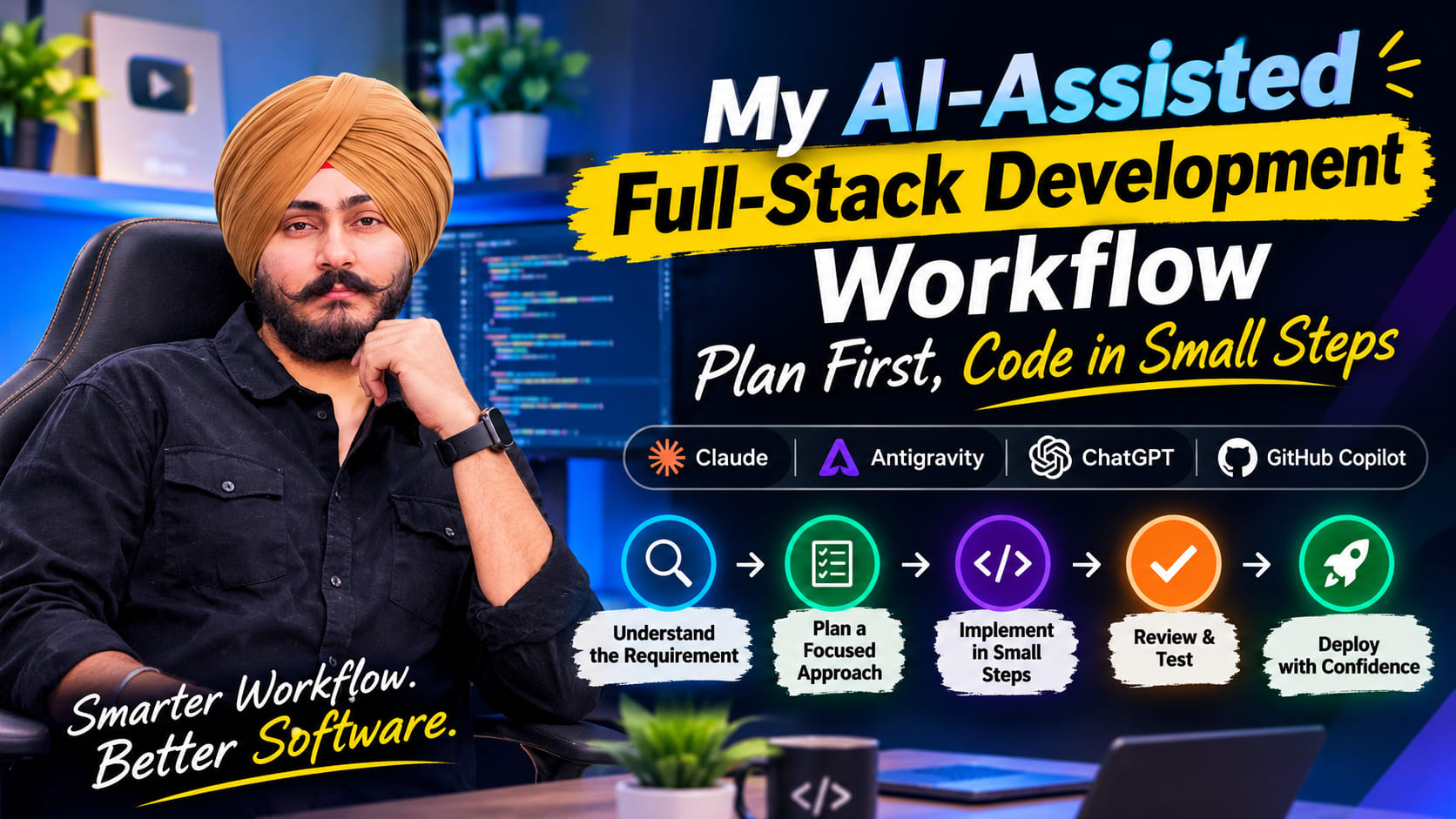
How I Use AI to Build Full-Stack Applications
Discover my AI-assisted development workflow using Claude, Antigravity, ChatGPT and GitHub Copilot to plan, build, review and test full-stack applications.
My AI-Assisted Full-Stack Development Workflow: Plan First, Code in Small Steps
AI has changed how I approach software development. I can explore an unfamiliar codebase, compare implementation options, investigate errors and move through repetitive tasks faster than before.
But faster code generation does not automatically mean better software.
I don't ask AI to build an entire feature and then hope the result works. I use it as part of my engineering process: first to understand the problem, then to plan the work, and finally to help implement and review focused changes. I stay responsible for the architecture, technical decisions and quality of the finished feature.
This is the workflow I use when working on full-stack applications.
My principle: AI should reduce the time spent getting from a problem to a good solution. It should not remove the developer from the decision-making process.
The tools I use --- and why
I don't expect one tool to do everything. I give each tool a clear role, while adapting the setup to the project.
- Claude: I use it early in the process to understand requirements, research approaches, summarize a task and prepare implementation notes.
- Antigravity: This is where I work through development tasks and apply the implementation plan to the codebase.
- ChatGPT: I use it to explore alternatives, clarify concepts, troubleshoot and get another perspective on technical decisions.
- GitHub Copilot / Copilot Chat: I use it for in-editor assistance, code suggestions and smaller coding tasks.
The tools may change. The important part is having a process that keeps the work understandable and under control.
1. Understand the requirement before touching the code
The first step is not asking AI to write code. It is making sure I understand what needs to be built.
I start by clarifying the expected behavior, who will use the feature, how it fits into the existing application and what should happen when something goes wrong.
When I am working with an existing codebase, I also want to understand its conventions before suggesting a new design.
A prompt I use for this discovery stage:
Study this requirement and the relevant parts of the existing codebase.

Do not modify any files yet.

Explain:
- What the feature needs to achieve
- Which existing modules, APIs and data models are relevant
- What is unclear or missing from the requirement
- The important edge cases and failure scenarios
- Any security, performance or compatibility concerns

Finish with a concise summary of what needs to be decided before implementation.
This helps prevent a common problem: an AI tool inventing an architecture before it understands the one already in the project.
2. Turn the requirement into a small implementation plan
Once the problem is clear, I break it into tasks that can be implemented and checked independently.
For a typical full-stack feature, the plan might cover:
- Data model and validation
- Backend service and business logic
- API routes and authorization
- Frontend components and states
- API integration
- Tests and regression checks
For larger features, I document requirements and acceptance criteria before development. Depending on the project, that may mean preparing an FRS, BRS or a shorter technical implementation note.
I also ask AI to challenge the plan instead of simply agreeing with it:
Review this plan as a senior engineer.

Point out missing requirements, risky assumptions, security gaps,
data consistency issues and unnecessary complexity.

Explain why each issue matters. Suggest only changes that are
important for a reliable implementation.
A plan is useful only if it covers more than the happy path.
3. Give the development environment one focused task at a time
After planning, I move into Antigravity and work through the implementation in stages.
I avoid instructions such as:
Build the complete feature, including frontend, backend and database.
That leaves too much room for assumptions and unrelated changes.
Instead, I set a clear boundary. For example, I might ask it to implement the data model first, follow the project's existing conventions, and leave API and frontend files untouched.
A focused task should explain:
- What to implement
- Which files or layer are in scope
- Which existing patterns must be followed
- What must not be changed
- How the result should be verified
This makes the work easier to review and reduces the chance that a small feature request turns into an unnecessary refactor.
4. Generate code in chunks --- then review each one
This is probably the most important habit in my workflow.
I prefer small, reviewable changes over a large code dump. I review the data model before moving to the service layer, the service before moving to the API, and the API before connecting the frontend.
Why? Because when a large change fails, it can be difficult to identify which assumption caused the problem. Smaller steps give me clear checkpoints.
After each step, I check:
- Does the implementation match the requirement?
- Does it follow the existing project structure?
- Are the changes limited to the intended scope?
- Are there missing validations or error cases?
- Can I explain what the code is doing?
I also ask for a short explanation of the changed files when the implementation is not immediately obvious.
If I don't understand a change, I don't treat it as finished just because the AI produced it.
5. Review the result like production code
AI-generated code deserves the same scrutiny as code written by a developer. It can compile and still contain incorrect business logic, weak authorization, inefficient queries or missing edge-case handling.
My review focuses on five areas:
Functionality: Does the feature satisfy the acceptance criteria? Are loading, empty, success and error states handled?
Architecture: Does it fit the existing codebase? Are responsibilities clear? Has unnecessary complexity been introduced?
Security: Is authorization enforced on the server? Is input validated? Are secrets and sensitive data protected?
Performance: Are database queries and network requests reasonable? Could the feature behave poorly with larger data sets?
Testing: Have relevant tests been run? Have important failure cases and existing user flows been checked?
I sometimes use AI as a second reviewer:
Review this diff critically. Do not assume the implementation is correct.

Look for logic errors, missing validation, authorization problems,
race conditions, inefficient queries, unhandled failures and missing tests.

For every issue:
1. Identify the affected file or code.
2. Explain the possible impact.
3. Suggest the smallest appropriate fix.

Do not refactor unrelated parts of the project.
I treat the review as feedback, not proof. I still verify the findings and run the application and tests myself.
A practical example: Adding a notification feature
Imagine adding in-app notifications to an existing MERN application.
I would approach it in stages rather than asking AI to build everything at once.
1. Discovery • Identify relevant models, APIs and existing patterns. • Verify findings against the actual codebase.
2. Planning • Define tasks and acceptance criteria. • Identify edge cases and dependencies.
3. Backend • Implement the schema, service and API. • Verify validation, data access and authorization.
4. Frontend • Build the notification list and interaction states. • Handle loading, success and error states.
5. Testing • Test expected behavior and failure scenarios. • Check existing functionality for regressions.
The architecture can be straightforward: a user action reaches an authenticated API, the backend applies the notification logic, the database stores the notification, and the frontend displays the result.
A production implementation may need pagination, background processing or real-time delivery. I would add those only when the product requirements justify them---not simply because an AI tool suggests them.
Mistakes I try to avoid
Asking for too much at once. Large prompts often produce large changes with hidden assumptions. I split the work into smaller tasks.
Accepting code because it compiles. A successful build does not prove the feature is correct. I test against expected behavior.
Ignoring existing conventions. I ask AI to inspect the codebase before proposing a new pattern or dependency.
Allowing unrelated refactoring. I keep the requested scope clear and separate necessary fixes from optional cleanup.
Sharing sensitive information carelessly. I follow project and company policies, avoid exposing credentials, and use only approved tools and data.
Skipping the final review. I inspect the diff, run relevant checks and make sure I can maintain the code after the AI session ends.
My pre-merge checklist
- [ ] The change meets the agreed requirements.
- [ ] Existing project conventions are followed.
- [ ] The diff contains only relevant changes.
- [ ] Validation and server-side authorization are in place.
- [ ] Error and edge cases have been considered.
- [ ] Relevant tests have been run.
- [ ] No secrets or sensitive data have been exposed.
- [ ] Existing functionality has been checked for regressions.
- [ ] I understand the code and can maintain it.
The level of testing should match the risk and complexity of the feature, but the responsibility for checking the result never disappears.
What matters more than the AI tool
It is easy to focus on which model, editor or coding agent is best. Those tools matter, but they are only part of the equation.
The bigger difference comes from how a developer uses them: the context they provide, the questions they ask, the scope they set, and how carefully they verify the output.
AI does not automatically know the product's real constraints, the business impact of a decision or the operational cost of a production failure. Those decisions still need engineering judgment.
For me, the best workflow is not the one that generates the most code. It is the one that helps me understand the problem sooner, make better decisions and deliver maintainable software without losing control of the details.
Understand first. Plan clearly. Build in small steps. Review everything that matters.
That's how I use AI to accelerate full-stack development while keeping ownership of the engineering.
About the author
Simarpreet Singh is a Full-Stack Developer working across web applications, mobile products, backend systems and AI-powered solutions. He writes about practical software engineering, product development and the tools and workflows he uses to build real-world applications.
- Portfolio: iamsimar.site
- Projects: Explore my work